


In today’s digital age, technology has become an integral part of education. One tool that stands out in helping teachers manage their classrooms effectively is Apple Classroom. This powerful app provides teachers with the ability to gain control over their students’ iPads, ensuring a focused and productive learning environment. Let’s explore the benefits of Apple Classroom and how it serves as a precursor to using Apple Schoolwork. Additionally, we’ll discuss how managing iPads through Intune leverages Microsoft licensing, offering a seamless experience compared to external MDM solutions.
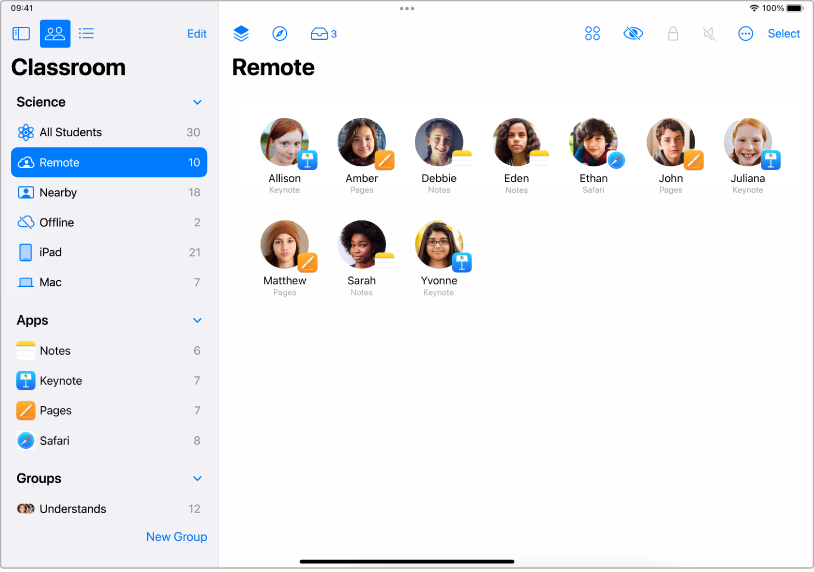
Key Benefits of Apple Classroom
- Viewing Screens: With Apple Classroom, teachers can view their students’ screens in real-time. This feature allows educators to monitor progress, provide instant feedback, and ensure students stay on task. It’s like having a virtual window into each student’s workspace.
- Locking to Apps: Distractions can be a significant challenge in a digital classroom. Apple Classroom enables teachers to lock students’ iPads to specific apps, ensuring they remain focused on the task at hand. Whether it’s a maths app or a reading assignment, students can stay engaged without the temptation of switching to other apps.
- Pushing Webpages: Sharing resources has never been easier. Teachers can push webpages directly to students’ iPads, guiding them to specific online content. This feature is particularly useful for directing students to educational websites, research materials, or interactive activities.
A Precursor to Apple Schoolwork
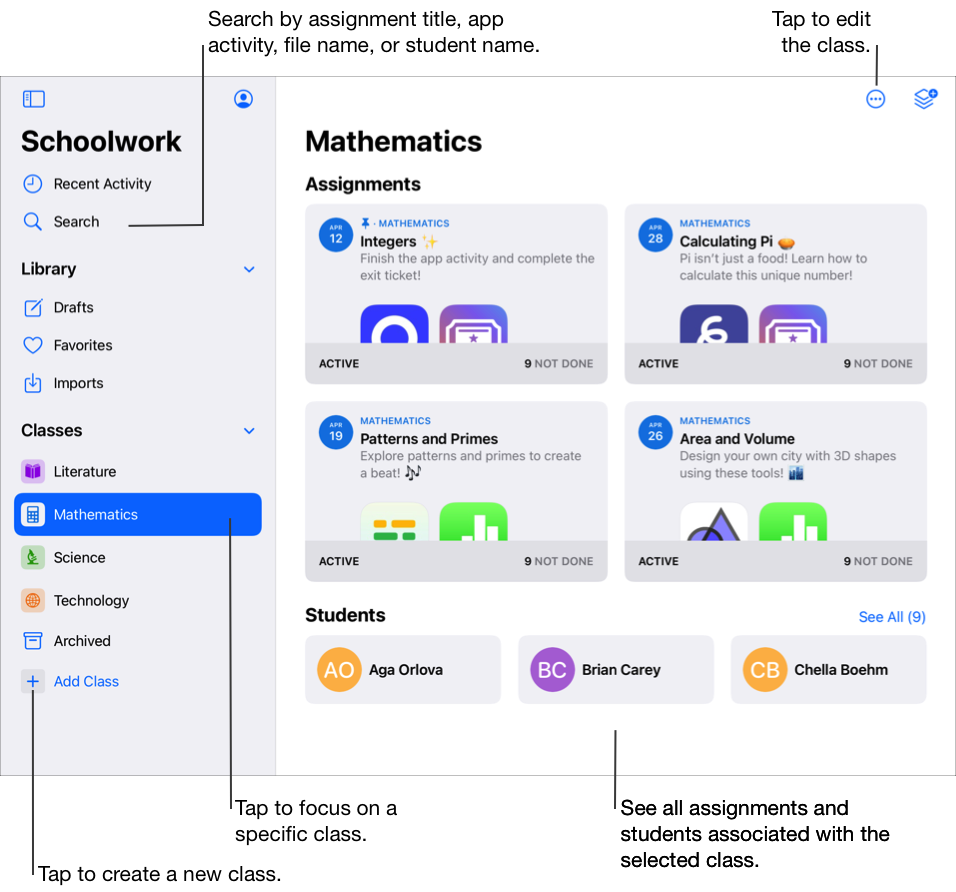
Apple Classroom is not just a standalone tool; it also serves as a precursor to Apple Schoolwork. While Apple Classroom focuses on managing devices and maintaining classroom control, Apple Schoolwork takes it a step further by enabling teachers to distribute and collect assignments, track student progress, and provide personalised feedback. Together, these tools create a comprehensive ecosystem for digital learning.
Managing iPads through Intune
When it comes to managing iPads, using Intune offers significant advantages. Intune, part of Microsoft’s suite of management tools, allows schools to manage their devices using existing Microsoft licensing. This approach provides a seamless integration with other Microsoft services, such as Office 365 and Azure Active Directory, ensuring a cohesive and efficient management experience.
Compared to external MDM solutions, Intune offers several benefits:
- Cost-Effective: Leveraging existing Microsoft licensing can be more cost-effective than investing in separate MDM solutions.
- Integration: Intune integrates smoothly with other Microsoft services, providing a unified platform for device management and educational tools.
- Security: With Microsoft’s robust security features, schools can ensure that their devices and data are protected.
In conclusion, Apple Classroom is a powerful tool that empowers teachers to manage their students’ iPads effectively. By viewing screens, locking apps, and pushing webpages, educators can create a focused and productive learning environment. As a precursor to Apple Schoolwork, it lays the foundation for a comprehensive digital learning ecosystem. Additionally, managing iPads through Intune leverages Microsoft licensing, offering a seamless and cost-effective solution compared to external MDMs. Embracing these tools can transform the classroom experience, making it more interactive, engaging, and efficient.
Contact us to get started or if you're a supported school then talk to your assigned Atom technician today!
Want to talk this through?
Our team is happy to help, with no obligation.


